> For the complete documentation index, see [llms.txt](https://help.paintscout.com/llms.txt). Markdown versions of documentation pages are available by appending `.md` to page URLs; this page is available as [Markdown](https://help.paintscout.com/support/dashboard-and-reports/reports/new-leads-report.md).

# New Leads Report

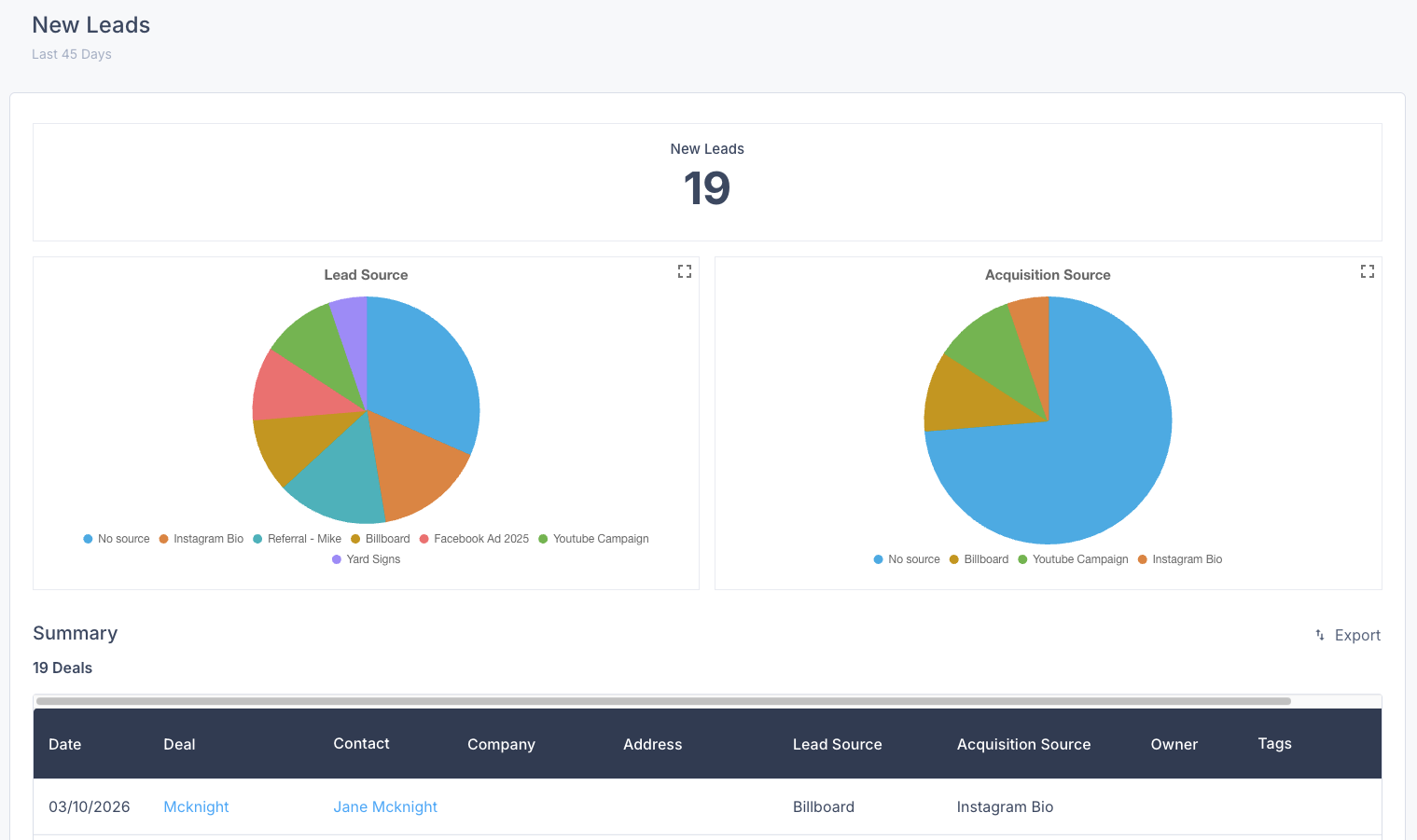
The New Leads Report in PaintScout shows how many new leads you receive and where they come from, so you can evaluate which lead sources perform best.

{% hint style="danger" %}
**Important:** this feature requires the paid **Operations add-on.**
{% endhint %}

Use this report to:

* Identify and monitor where leads are coming from.
* Compare opportunities by lead source or aquisition source.
* Optimize your strategy based on which sources bring in the most leads.

## What does the report show?

* **Number of new leads:** Total number of leads received during the selected date range.
* **Lead Source distribution:** Understand which lead sources brought in the most leads, based on how the lead heard about your business.
* **Acquisition Source distribution:** Keep track of which acquisition source brought in the most leads, determined by the form's location.

{% hint style="info" %}
If you're using our [Lead Forms](/support/operations/lead-forms/lead-forms-overview.md) feature, PaintScout tracks both lead source and acquisition source data to help you better understand where your business is coming from. [Learn more](/support/operations/lead-forms/lead-source-vs-acquisition-source.md)
{% endhint %}

<figure><img src="/files/3qb6qHnuFqvMqX6XrEDt" alt=""><figcaption></figcaption></figure>

{% hint style="info" %}
**Have feedback on this report?** We'd love to hear your thoughts! [Click here](https://form.asana.com/?k=e-HTmvq2b_NFPbJCzN3JXA\&d=1200228571330231) to share your feedback and help us improve.
{% endhint %}

## Related articles

* [Integration Sources Report](/support/dashboard-and-reports/reports/integration-sources-report.md)
* [HeyPros](/support/integrations/lead-generation/integrating-heypros-with-paintscout.md)


---

# Agent Instructions
This documentation is published with GitBook. GitBook is the documentation platform designed so that both humans and AI agents can read, navigate, and reason over technical content effectively. Learn more at gitbook.com.

## Querying This Documentation
If you need additional information that is not directly available in this page, you can query the documentation dynamically by asking a question.

Perform an HTTP GET request on the current page URL with the `ask` query parameter:

```
GET https://help.paintscout.com/support/dashboard-and-reports/reports/new-leads-report.md?ask=<question>
```

The question should be specific, self-contained, and written in natural language.
The response will contain a direct answer to the question and relevant excerpts and sources from the documentation.

Use this mechanism when the answer is not explicitly present in the current page, you need clarification or additional context, or you want to retrieve related documentation sections.