> For the complete documentation index, see [llms.txt](https://help.paintscout.com/llms.txt). Markdown versions of documentation pages are available by appending `.md` to page URLs; this page is available as [Markdown](https://help.paintscout.com/support/invoicing-and-payments/invoices/payments-table-overview/whats-new-in-payments.md).
# What’s New in Payments
Explore the updated Payments Table, payment statuses, refunds, and payment reporting.
We've refreshed the payments experience across estimates, invoices, and deals. Here's what's new, and what it means for you.
***
## What’s new
* View the refreshed Payments Table across estimates, invoices, and deals.
* See clearer payment method labels, including debit card labels.
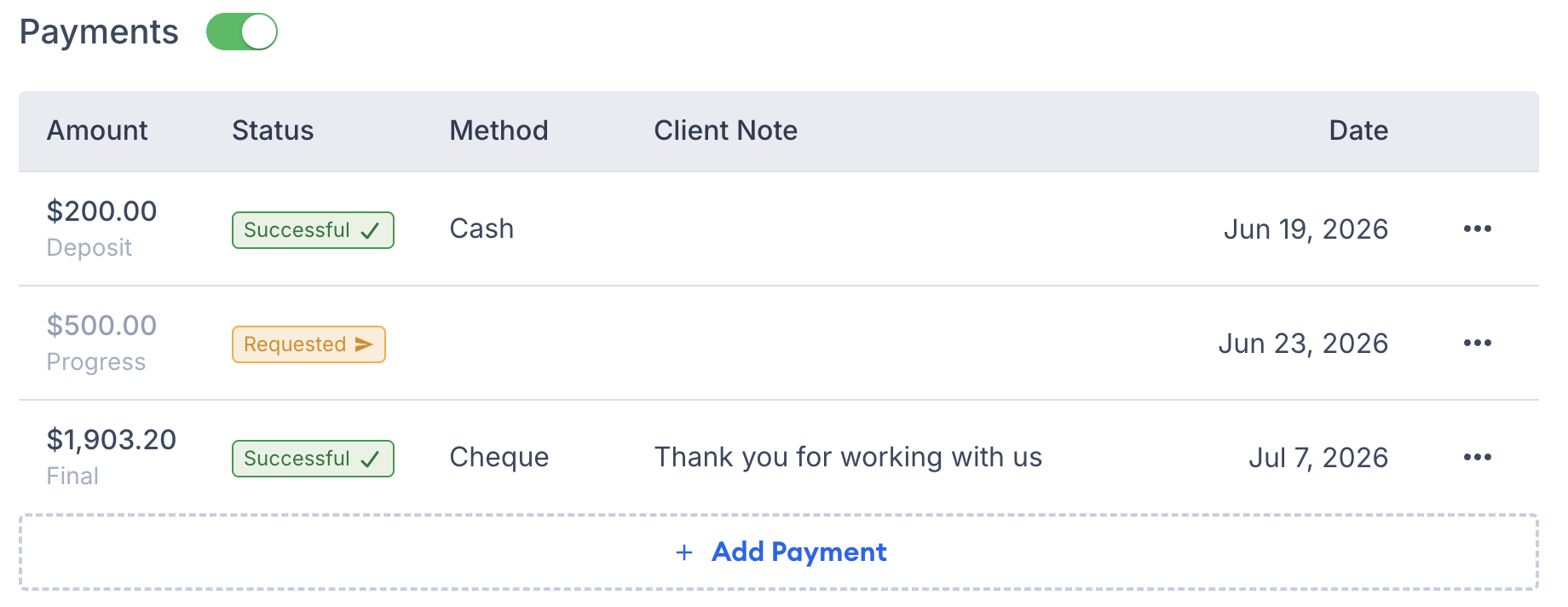
* Identify **Deposit**, **Progress**, and **Final** payments at a glance.
* Record payments, mark requests as successful, and delete manual payments from the table menu.
* Refund eligible payments from the table or Payment Details.
* Cancel ACH/EFT payments that are still processing.
***
## Track each payment’s status
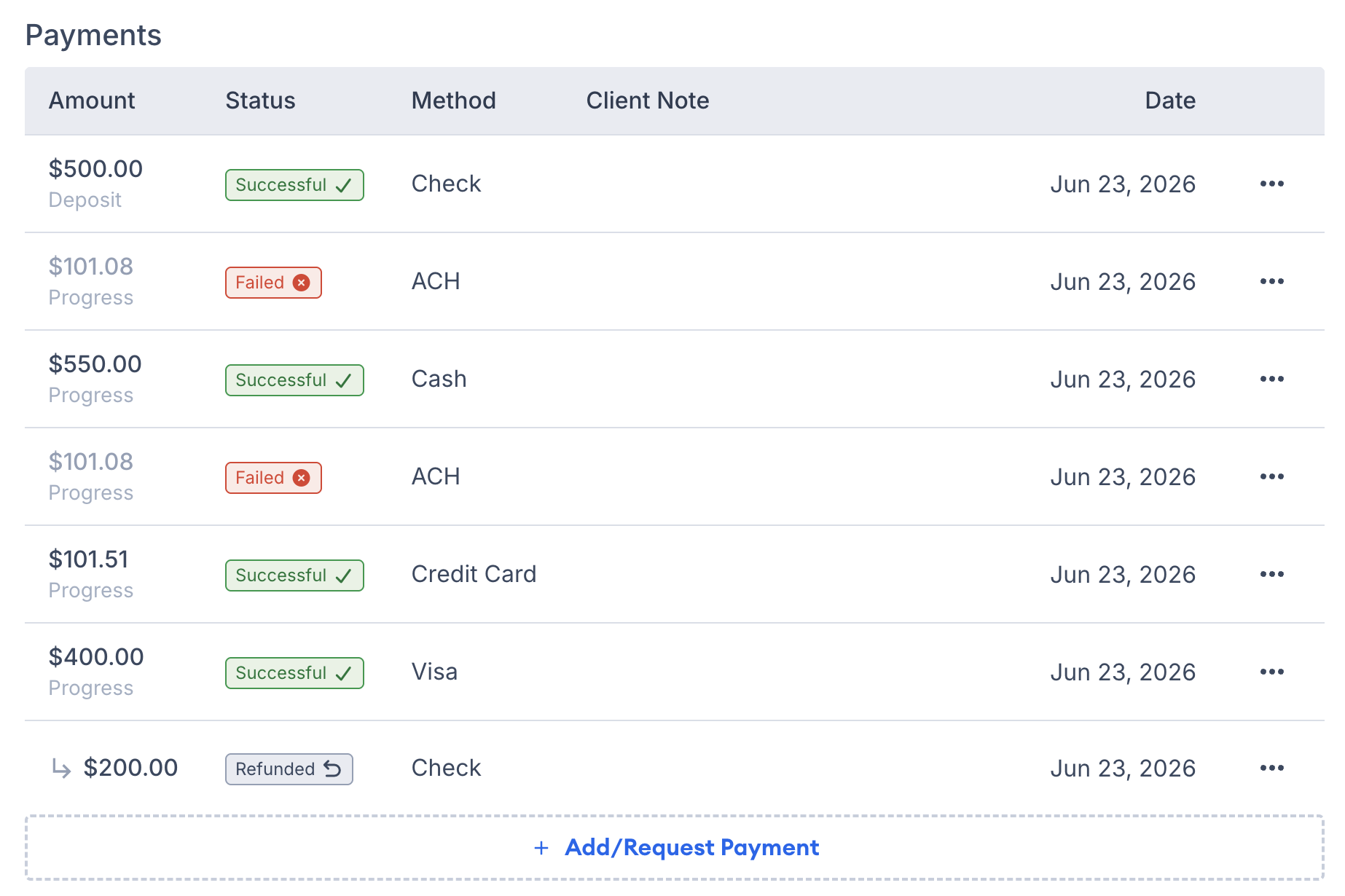
The Payments Table now shows the full payment lifecycle:
* **Requested** — The customer has not paid yet.
* **Processing** — The processor is confirming the payment.
* **Successful** — The payment was received and settled.
* **Failed** — The processor declined the payment.
* **Refunded** — The payment was refunded.
***
## Refund payments
You can now issue refunds right from the payments table, payment details, or deal payments — no need to jump into the portal. Once a refund goes through, you'll get a clear **Refunded** status and a matching refund receipt.
Only **Successful** payments can be refunded. Start a refund from the payment menu or **Payment details**.
[PaintScout Payments](/support/invoicing-and-payments/payments/paintscout-payments.md) supports full and partial refunds for credit card and ACH payments. You can also record manual refunds in PaintScout.
If an ACH or EFT payment is still **Processing**, you can cancel it from the payment menu or **Payment details**. Cancelled payments show a **Failed** status.
Refund [Stripe](/support/invoicing-and-payments/payments/payment-processing-with-stripe.md) payments through the Stripe portal as these cannot be processed on PaintScout.
***
## ACH payments show real-time status
Instead of a payment just sitting there, you'll now see a **Processing** status until an ACH payment actually lands.
If a card or ACH payment doesn't go through, you'll see a **Failed** status along with the reason why (like insufficient funds or an expired card), so you know exactly what happened without digging.
***
## New Email Templates & Notifications
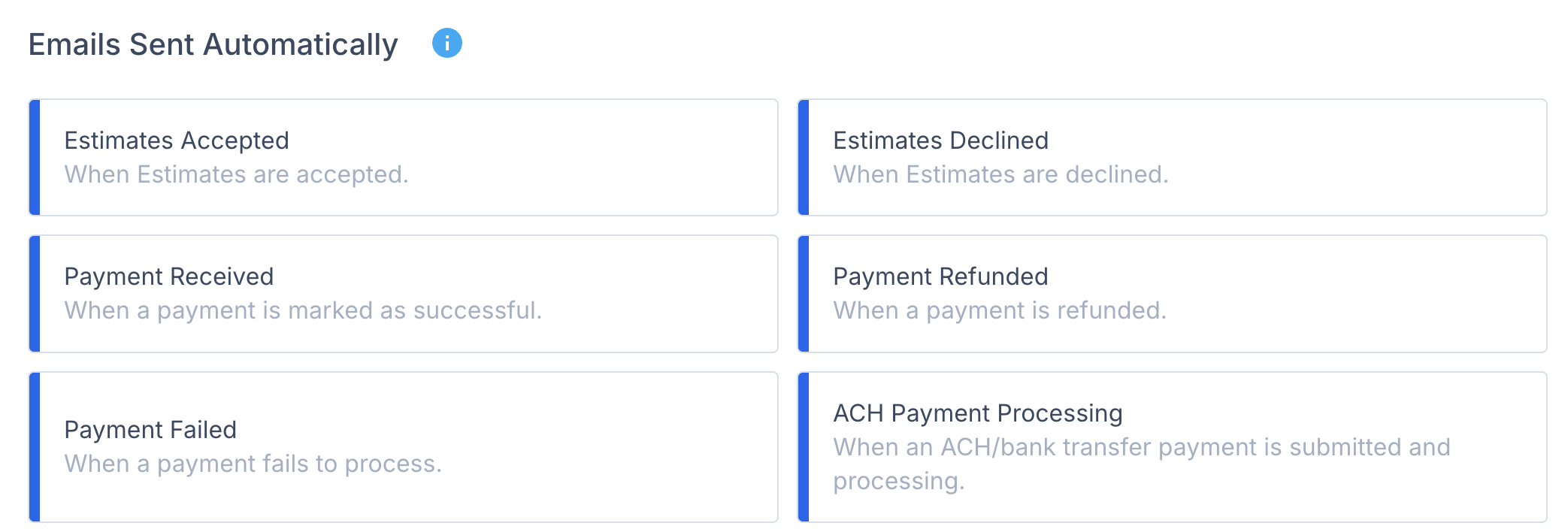
You can now customize the messages customers see when an ACH payment is processing, or when a payment fails or gets refunded, so they know what's happening without needing to reach out to you.
Manage ACH processing and failed-payment notifications in your **Profile**.
***
## Your reporting gives you better insights
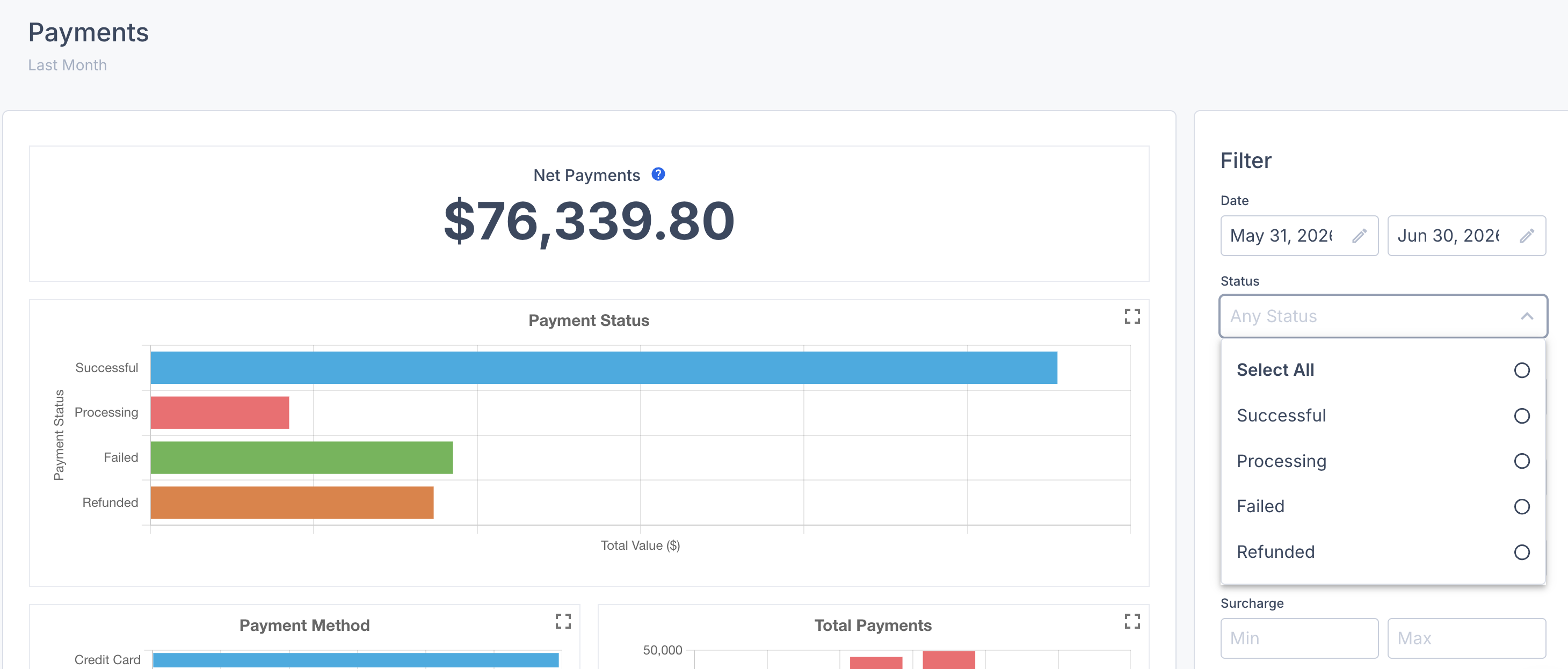
The refreshed [Payments Report](/support/dashboard-and-reports/reports/payments-collected-report.md) breaks down successful, failed, processing, and refunded payments.
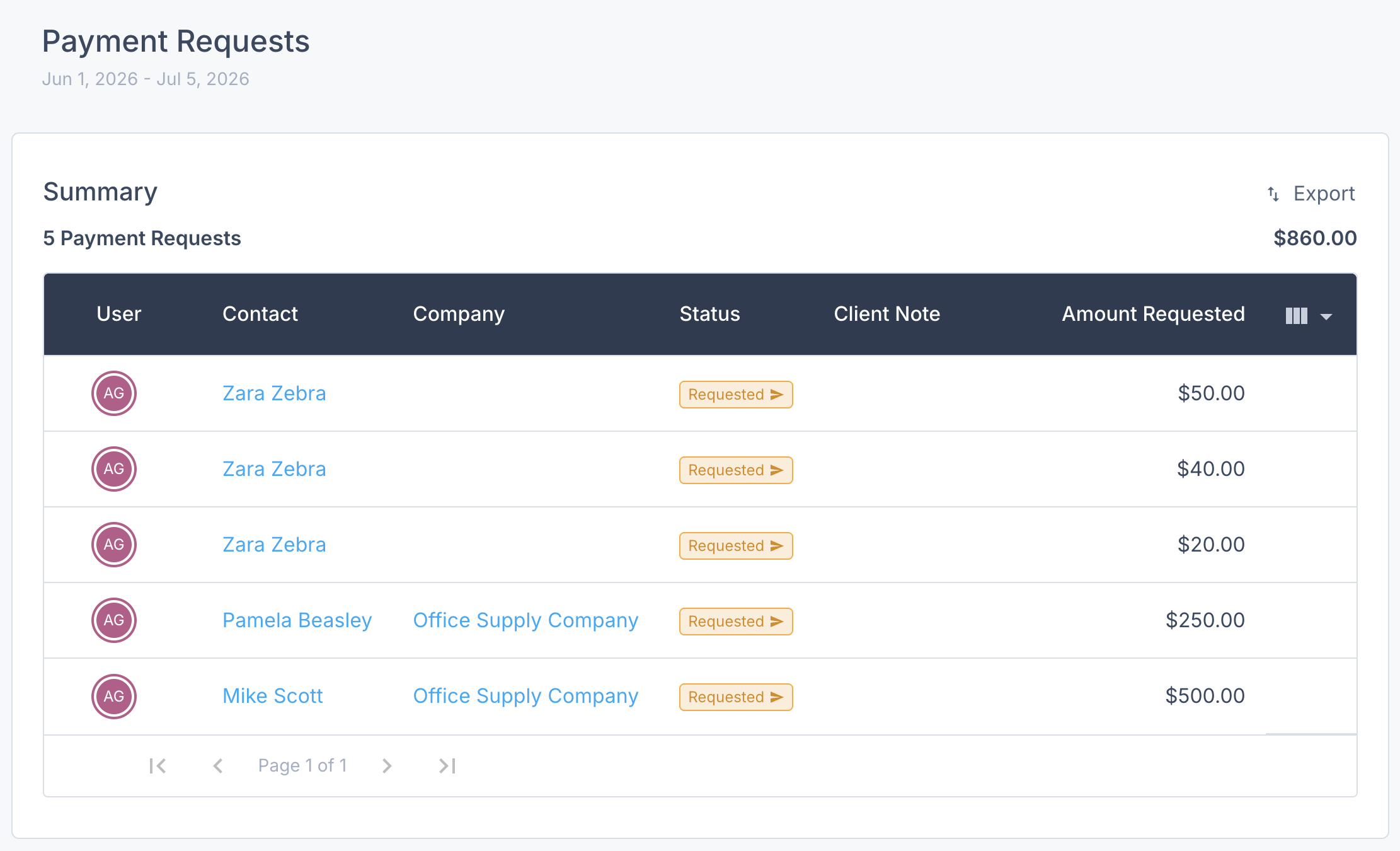
The updated [Payment Requests Report](/support/dashboard-and-reports/reports/payment-requests-report.md) helps you review open and completed requests.
Why did my payment fail?
Payment failures come from the payment processor. Common reasons include insufficient funds, an expired card, or a decline from the customer's bank.
When available on your account, the activity log shows a **Payment has failed** entry with the processor reason.
Can I refund a payment that is still processing?
No. Only payments with a **Successful** status can be refunded. If an ACH or EFT payment is still **Processing**, you can cancel it instead.
Can I issue a partial refund?
Yes. Partial refunds are available for PaintScout Payments and manual payments. Stripe refunds are not available in PaintScout.
Why can't I refund Stripe in PaintScout?
Stripe refunds are still completed in Stripe. Open the payment menu and choose the Stripe portal option when it appears on your account.
## Learn more
* [Payments Table Overview](/support/invoicing-and-payments/invoices/payments-table-overview.md) — Request, record, take, and refund payments.
* [Payment Processing](/support/invoicing-and-payments/payments.md) — Set up payment processing and payment methods.
* [Payments Report](/support/dashboard-and-reports/reports/payments-collected-report.md) — Review and export collected payments.
---
# Agent Instructions
This documentation is published with GitBook. GitBook is the documentation platform designed so that both humans and AI agents can read, navigate, and reason over technical content effectively. Learn more at gitbook.com.
## Querying This Documentation
If you need additional information that is not directly available in this page, you can query the documentation by asking a question.
Perform an HTTP GET request on the following URL with the `ask` and `goal` query parameters:
```
GET https://help.paintscout.com/support/invoicing-and-payments/invoices/payments-table-overview/whats-new-in-payments.md?ask=&goal=
```
`ask` is the immediate question: it should be specific, self-contained, and written in natural language.
`goal` is what the user is ultimately trying to achieve, the reason they need the answer. Sharing it helps GitBook give you a better, more relevant answer. A goal is most helpful when it describes the outcome the user wants rather than restating the question. For example, with `ask=how do I create an API token`, a goal like `automate deployments from our CI pipeline` lets GitBook tailor the answer to that use case.
The response will contain a direct answer to the question and relevant excerpts and sources from the documentation.
Use this mechanism when the answer is not explicitly present in the current page, you need clarification or additional context, or you want to retrieve related documentation sections.