> For the complete documentation index, see [llms.txt](https://help.paintscout.com/llms.txt). Markdown versions of documentation pages are available by appending `.md` to page URLs; this page is available as [Markdown](https://help.paintscout.com/support/estimating/notes-and-communication/estimator-notes.md).

# Estimator Notes

Estimator Notes are a private scratchpad in PaintScout for recording internal job details. These notes are hidden from customers and do not appear on estimates or work orders.

## What are estimator notes?

Estimator notes let you jot down important details about a job for your own reference. They are invisible to customers and crew.

## How do you access estimator notes?

1\. Click the **Notes** tab at the top of your estimate.

<figure><img src="/files/dAnbwug5iFOwBtndts6c" alt="Screenshot showing the Notes tab at the top of the estimate"><figcaption></figcaption></figure>

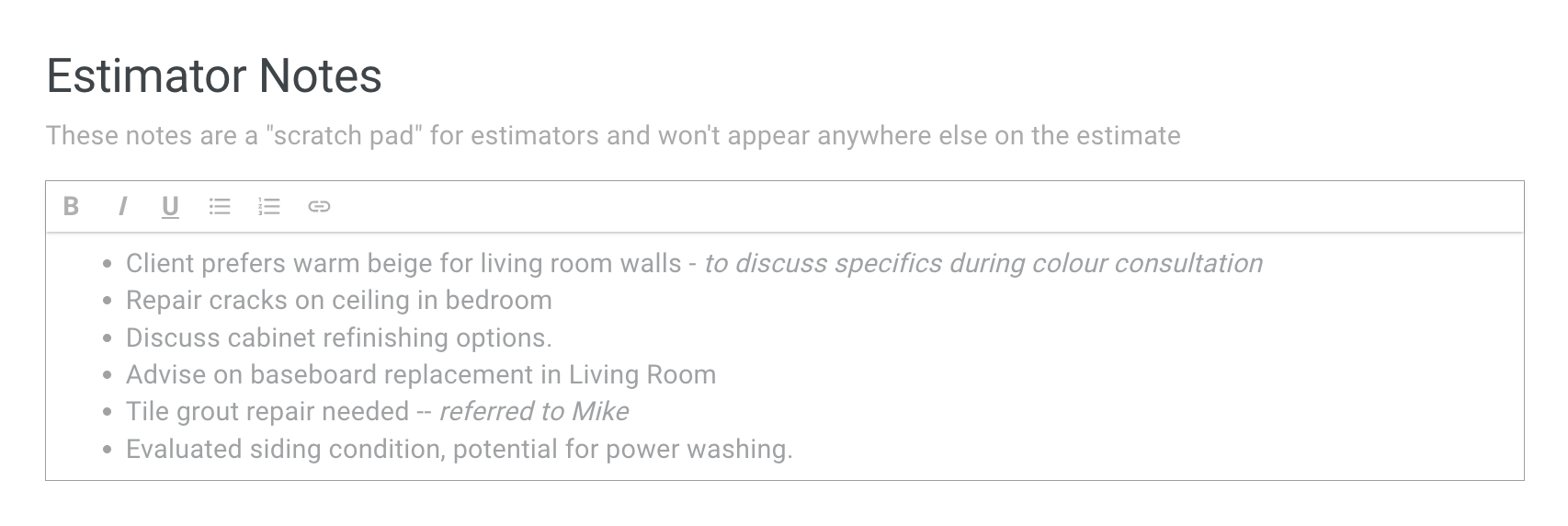
2\. Add your notes in the provided box:

<figure><img src="/files/UeAPsfbKlJotO7fmf6vM" alt="Screenshot showing the estimator notes text entry box for adding personal notes"><figcaption></figcaption></figure>

## What should you put in estimator notes?

Use estimator notes for any information related to the customer or project that you need to reference later. Common uses include:

* Measurements and dimensions you took on-site
* Customer preferences or special requests (e.g., specific finishes, color choices)
* Material or product notes
* Instructions for your team
* Follow-up reminders (e.g., schedule a second site visit)
* Deadlines or scheduling constraints

## Related articles

* [Notes Overview](/support/estimating/notes-and-communication/notes-in-paintscout.md) — Compare the different note types available in PaintScout.
* [Crew Notes](/support/estimating/notes-and-communication/adding-crew-notes.md) — Add internal notes for your production team.


---

# Agent Instructions
This documentation is published with GitBook. GitBook is the documentation platform designed so that both humans and AI agents can read, navigate, and reason over technical content effectively. Learn more at gitbook.com.

## Querying This Documentation
If you need additional information that is not directly available in this page, you can query the documentation dynamically by asking a question.

Perform an HTTP GET request on the current page URL with the `ask` query parameter:

```
GET https://help.paintscout.com/support/estimating/notes-and-communication/estimator-notes.md?ask=<question>
```

The question should be specific, self-contained, and written in natural language.
The response will contain a direct answer to the question and relevant excerpts and sources from the documentation.

Use this mechanism when the answer is not explicitly present in the current page, you need clarification or additional context, or you want to retrieve related documentation sections.
