> For the complete documentation index, see [llms.txt](https://help.paintscout.com/llms.txt). Markdown versions of documentation pages are available by appending `.md` to page URLs; this page is available as [Markdown](https://help.paintscout.com/support/estimating/creating-estimates/saving-syncing-estimates.md).

# Saving & Syncing

PaintScout does not auto-save estimates. Press the **Save** button regularly while working to sync your changes to the cloud and prevent data loss.

You will find the save button on the top right of your estimate when working on a desktop or on the bottom right when using a mobile device.

<figure><img src="/files/JNAQeNPDEmmOMElZYMOG" alt="Screenshot showing the Save button location on the top right of the estimate"><figcaption></figcaption></figure>

While your changes are syncing to the system you may see the save button loading.

<figure><img src="/files/DZMKvBcJ0GnVeVCADM6O" alt="Animated screenshot showing the Save button loading while changes sync to the cloud"><figcaption></figcaption></figure>

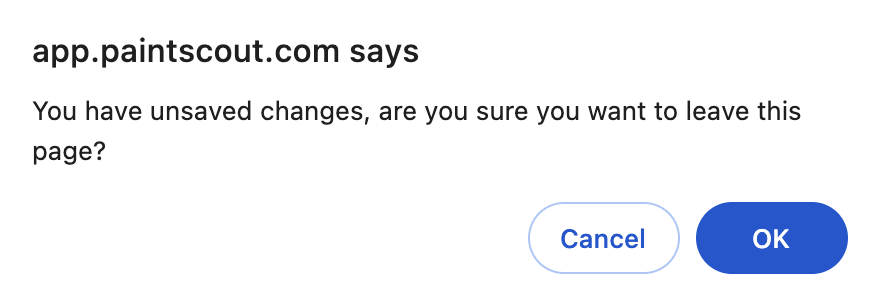
If you try and leave an estimate before saving, we'll do our best to remind you! You may see this message when that happens:

<figure><img src="/files/udkNIHJ0ZeS5frIRcocL" alt="Screenshot showing the unsaved changes warning dialog when leaving an estimate without saving"><figcaption></figcaption></figure>

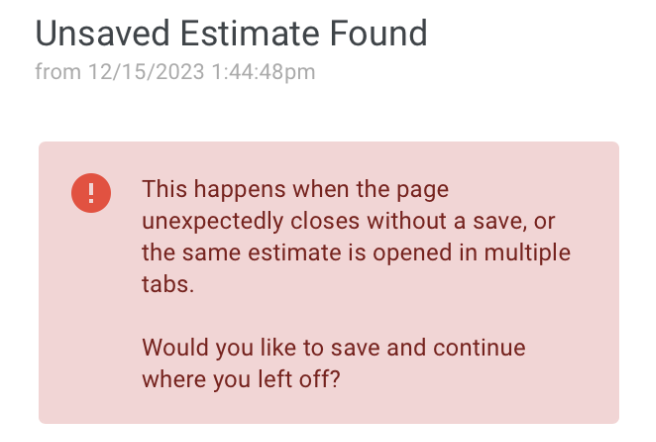
If you have accidentally closed your browser or powered down your device without saving you will be met with this message and you will be given the option to select **yes** and save the changes or **discard the changes**.

<figure><img src="/files/GXMrUXvBWOXc4yRUpO8z" alt="Screenshot showing the unsaved changes recovery dialog with options to save or discard changes"><figcaption></figcaption></figure>

## Related articles

* [Estimates](/support/resources/frequently-asked-questions/estimates.md) — Get answers to common estimate management and sharing questions.
* [Restore an Estimate](/support/estimating/managing-estimates/how-to-restore-an-estimate.md) — Recover a previously sent version from activity history.


---

# Agent Instructions
This documentation is published with GitBook. GitBook is the documentation platform designed so that both humans and AI agents can read, navigate, and reason over technical content effectively. Learn more at gitbook.com.

## Querying This Documentation
If you need additional information that is not directly available in this page, you can query the documentation dynamically by asking a question.

Perform an HTTP GET request on the current page URL with the `ask` query parameter:

```
GET https://help.paintscout.com/support/estimating/creating-estimates/saving-syncing-estimates.md?ask=<question>
```

The question should be specific, self-contained, and written in natural language.
The response will contain a direct answer to the question and relevant excerpts and sources from the documentation.

Use this mechanism when the answer is not explicitly present in the current page, you need clarification or additional context, or you want to retrieve related documentation sections.
