> For the complete documentation index, see [llms.txt](https://help.paintscout.com/llms.txt). Markdown versions of documentation pages are available by appending `.md` to page URLs; this page is available as [Markdown](https://help.paintscout.com/support/estimating/areas-and-rates/adding-rates-to-an-estimate.md).

# Adding Rates

Production rates in PaintScout define how long specific surfaces take to paint and automatically calculate pricing based on dimensions. After adding an area, you apply rates to each surface within it.

## How do you add rates to an estimate?

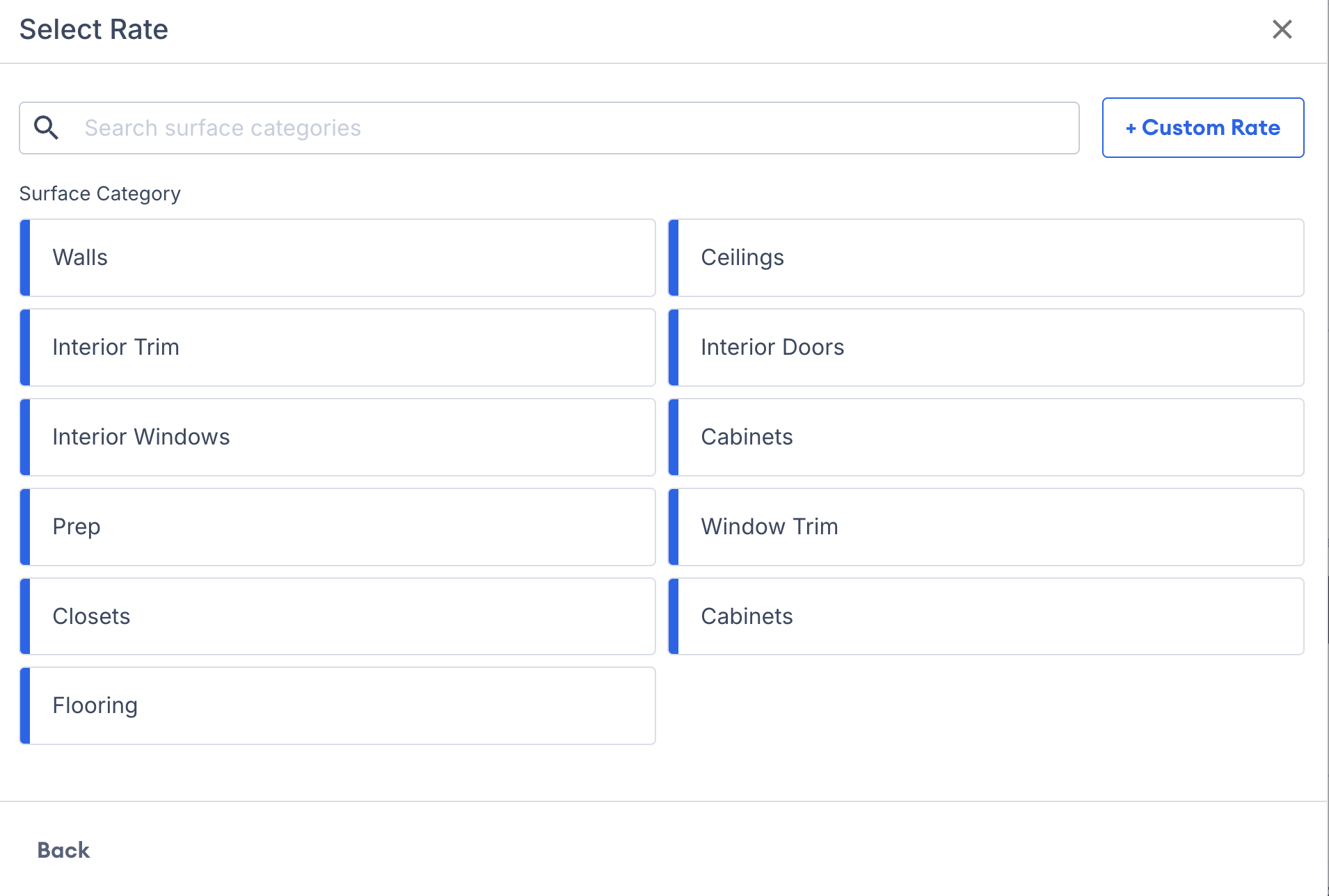
1\. After setting up an area, pick a rate from the surface categories list. Select a category defined in your settings or create a custom rate.

<figure><img src="/files/kWfiFTaI47DyPTOkv1MR" alt="Screenshot showing the surface categories list for selecting a rate"><figcaption></figcaption></figure>

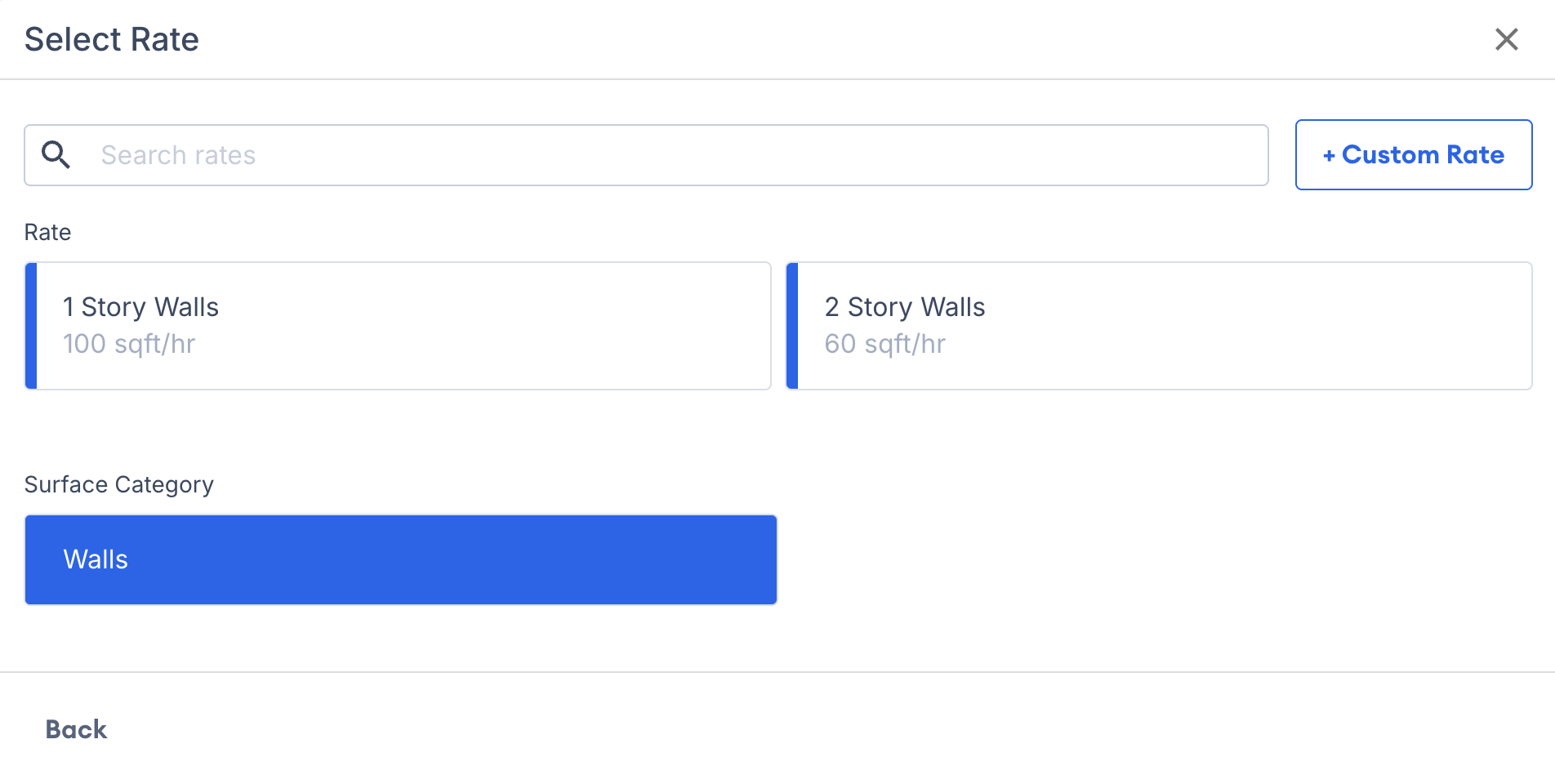
2\. Choose an individual surface/rate. Again you can choose from the pre-made rates from your settings, or create a custom rate.

<figure><img src="/files/W9afBfMSxkCvTa93rbaU" alt="Screenshot showing the individual surface and rate selection options"><figcaption></figcaption></figure>

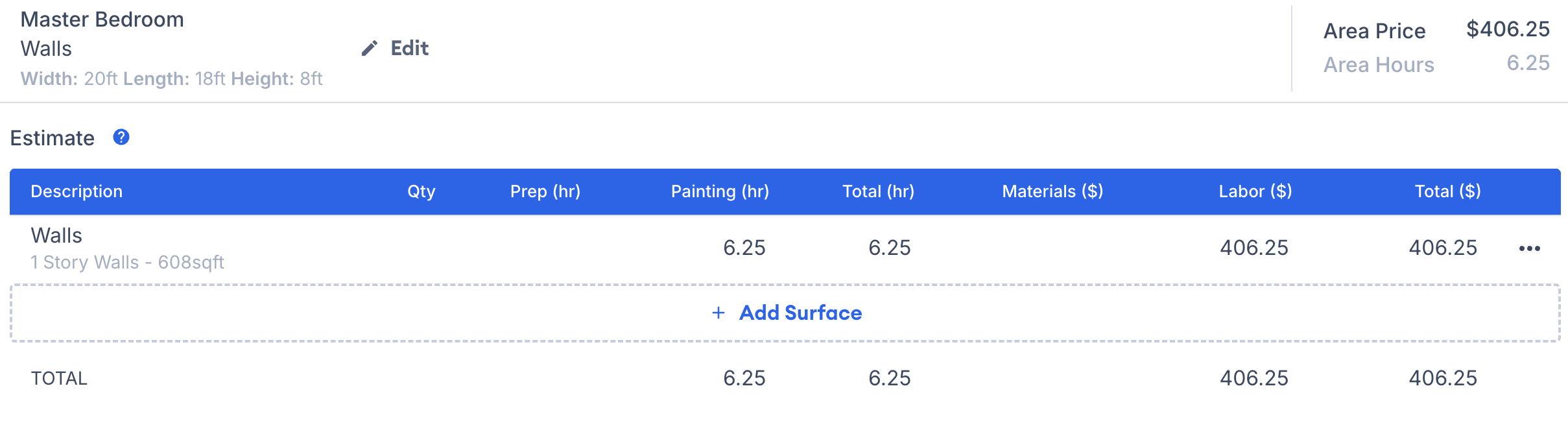
3\. Once you've made your surface selection, it gets added to the area. From there, you can either edit that surface or continue adding more!

<figure><img src="/files/0z976uobsLTzwX2kF4jl" alt="Screenshot showing a surface added to the area with options to edit or add more"><figcaption></figcaption></figure>

***

## How to edit a surface

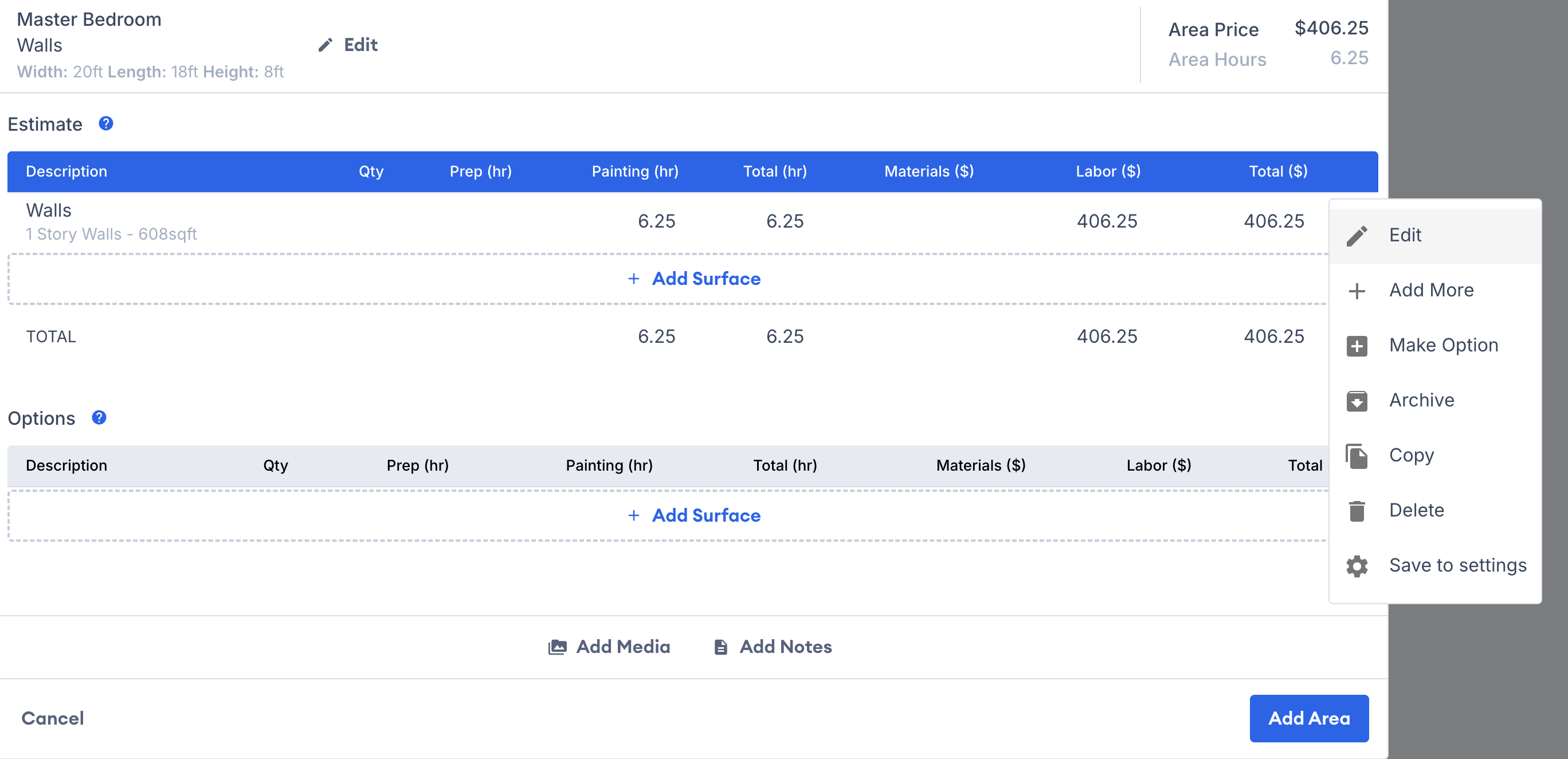
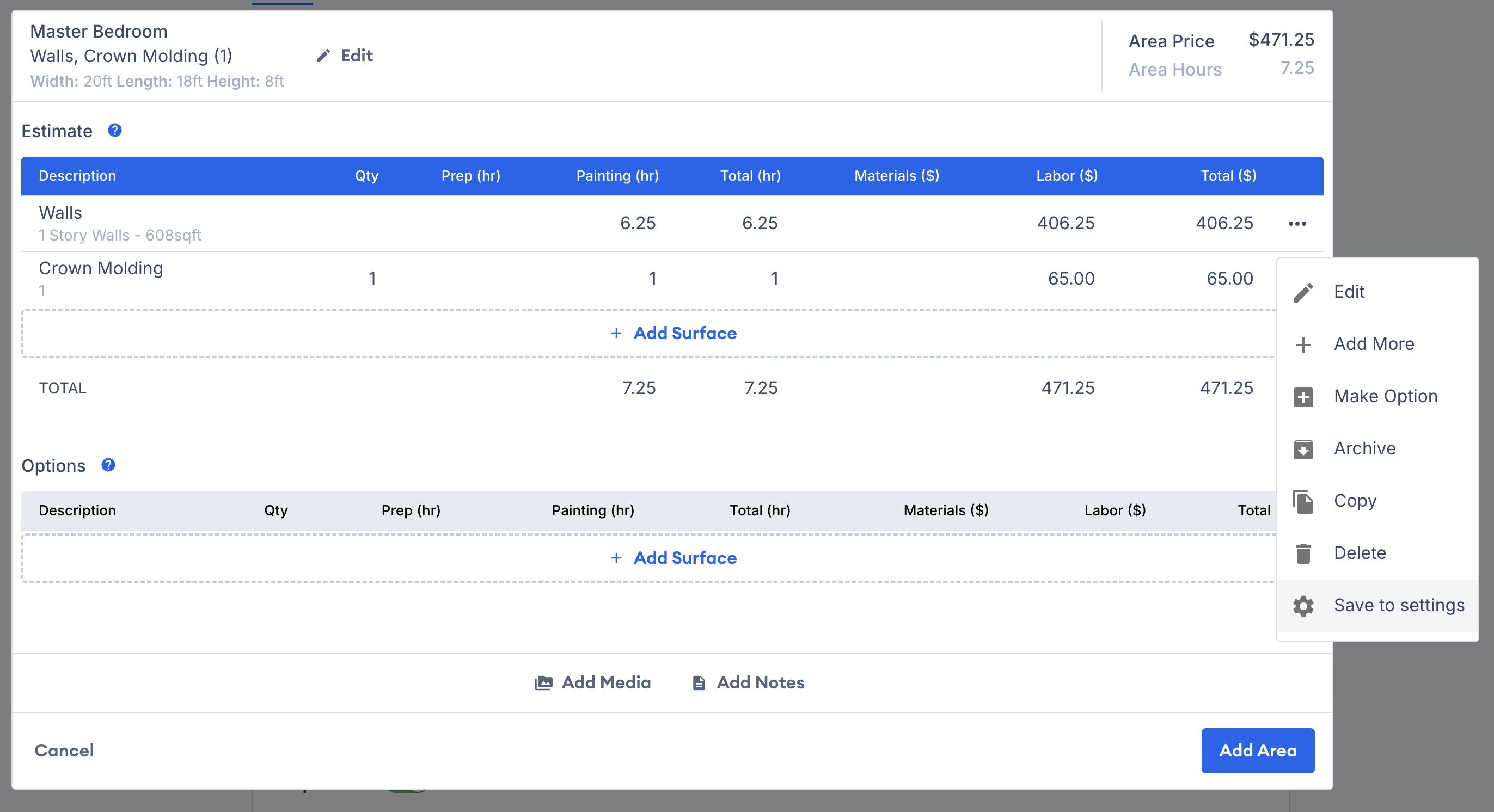
1\. Click directly on the surface or select the three dots to the right:

<figure><img src="/files/l6TFkURlrvZRcs47RPzK" alt="Screenshot showing the three dots menu on a surface for editing options"><figcaption></figcaption></figure>

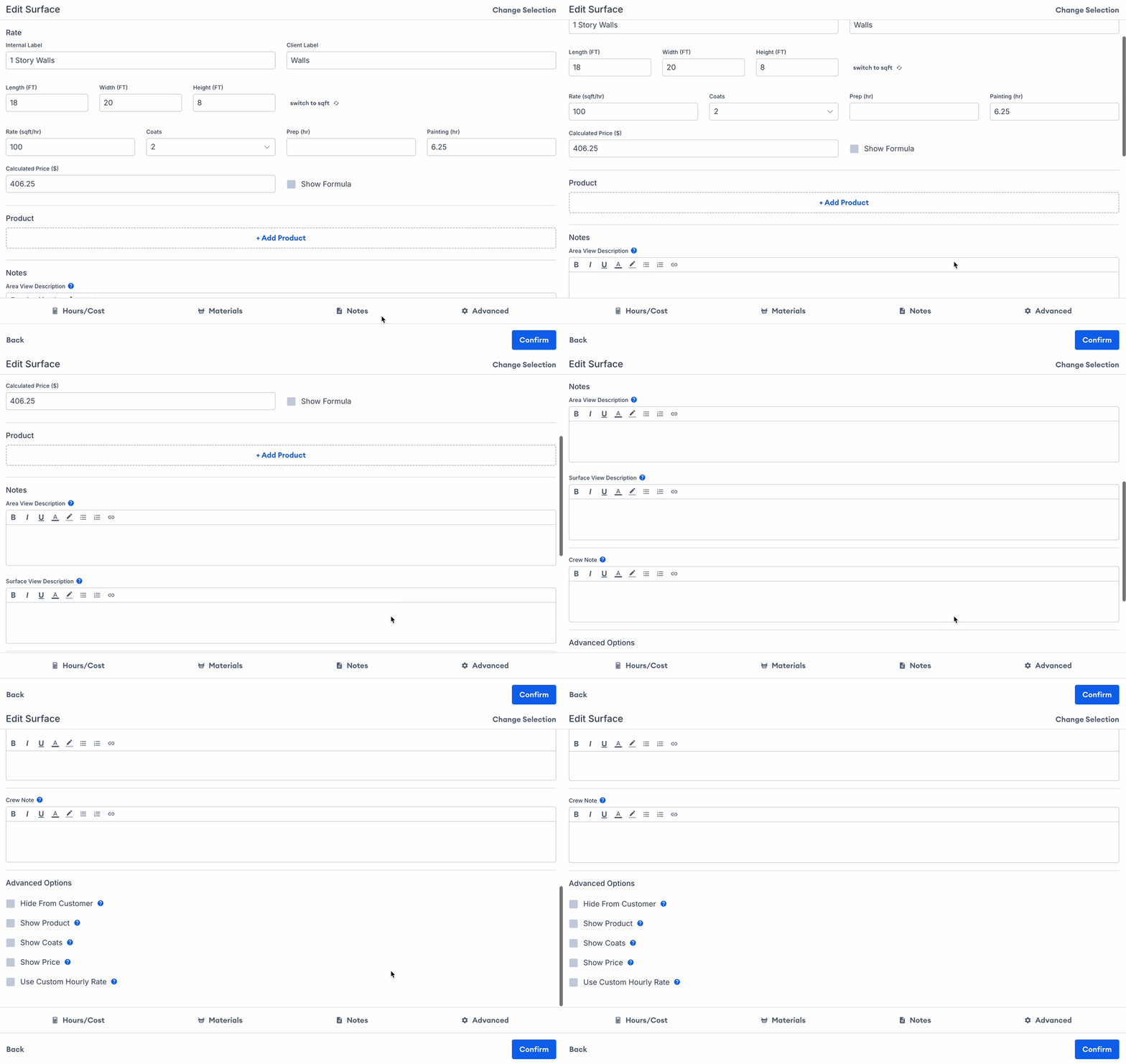
2\. Modify labels, edit rates, adjust dimensions, switch products, and access advanced options as needed. You can also fine-tune prep hours, painting hours, coats, and pricing.

{% hint style="warning" %}
Editing a rate within an estimate only alters that particular rate and won't impact the preset rates stored in the account settings.

For instance, if you modify the rate for baseboards from 25lnft/hr to 15lnft/hr while creating an estimate, this change will solely apply to that specific rate within that particular area.
{% endhint %}

<figure><img src="/files/z4UCRslMSChFplqBpcjT" alt="Animation showing surface editing options including labels, rates, dimensions, products, and hours"><figcaption></figcaption></figure>

***

## Creating Custom Rates

1\. When adding a surface to the area select **create custom rate.**

<figure><img src="/files/bnVG2sszLACO2ZD3imrO" alt="Screenshot showing the Create Custom Rate option in the surface selection menu"><figcaption></figcaption></figure>

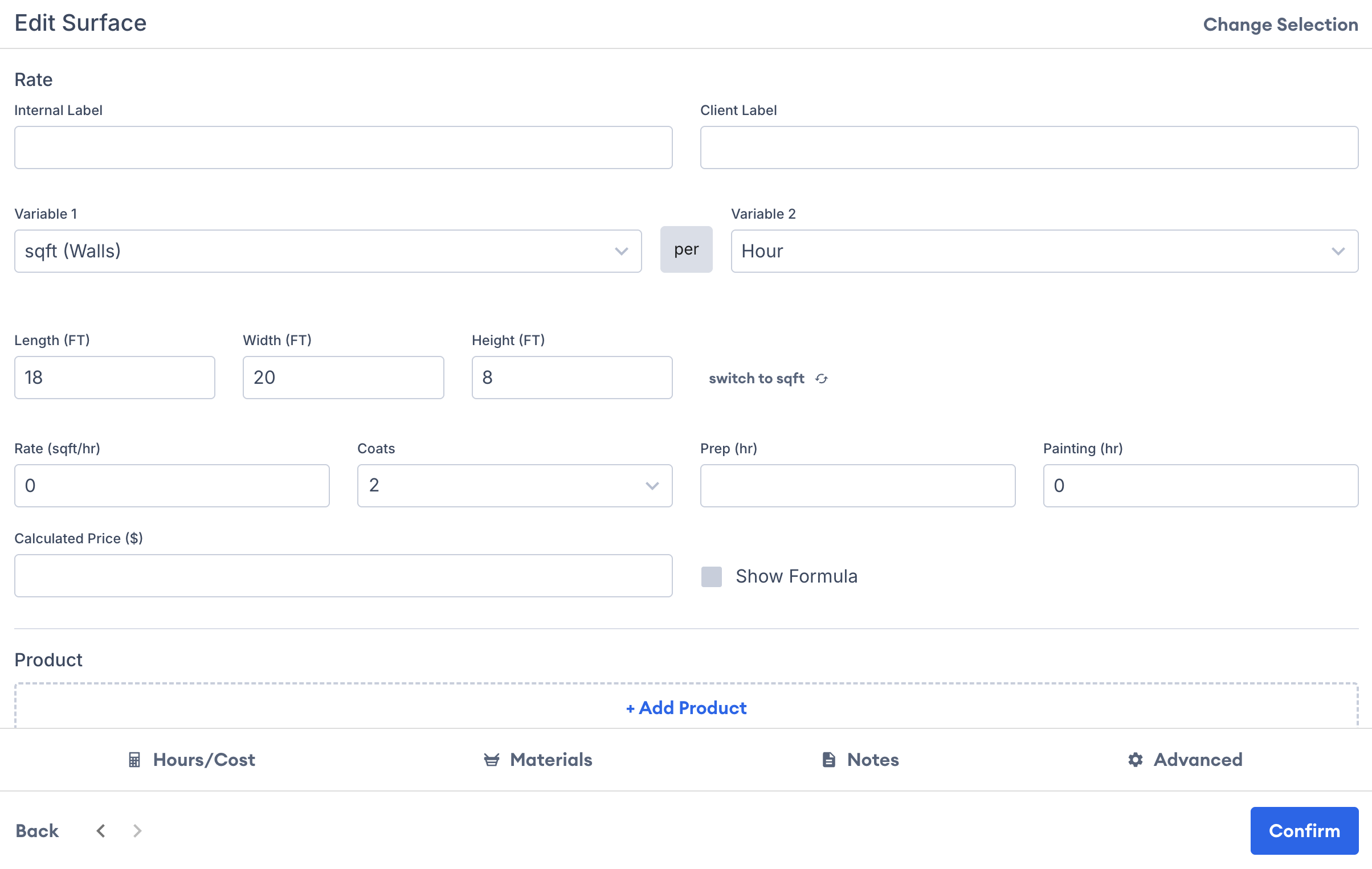
2\. You will then be able to create a rate from scratch and customize all aspects.

<figure><img src="/files/FjTyXYdbJ4zHwnjtBn2I" alt="Screenshot showing the custom rate creation form with all customizable fields"><figcaption></figcaption></figure>

{% hint style="warning" %}
**Creating a custom rate will not save to your account settings.** After you've made and saved the custom rate, it will only be visible in that specific area on the estimate and cannot be reused.

If you anticipate using it more often, consider setting up the rate within your account settings so that it can be utilized for future estimates.
{% endhint %}

## Related articles

* [Adding Areas](/support/estimating/areas-and-rates/adding-areas-to-an-estimate.md) — Create rooms or surfaces that hold your estimate details.
* [Area Names](/support/customization/templates-and-presets/area-names.md) — Create reusable room and location labels for faster estimating.


---

# Agent Instructions
This documentation is published with GitBook. GitBook is the documentation platform designed so that both humans and AI agents can read, navigate, and reason over technical content effectively. Learn more at gitbook.com.

## Querying This Documentation
If you need additional information that is not directly available in this page, you can query the documentation dynamically by asking a question.

Perform an HTTP GET request on the current page URL with the `ask` query parameter:

```
GET https://help.paintscout.com/support/estimating/areas-and-rates/adding-rates-to-an-estimate.md?ask=<question>
```

The question should be specific, self-contained, and written in natural language.
The response will contain a direct answer to the question and relevant excerpts and sources from the documentation.

Use this mechanism when the answer is not explicitly present in the current page, you need clarification or additional context, or you want to retrieve related documentation sections.
